From a push to production, in one commit
The whole delivery path — build, release, promote — and where each step is answerable. Includes why a build can produce more than one release.
One push, and five things happen. This guide follows one of them end to end, and names the page that answers each step, because the commonest question about a deployment is not "did it work" but "which of these six things am I looking at".
The chain
- 1
A push arrives
Gitea sends a webhook to
project-flow, which starts aWorkflowRun. Nothing here depends on the build succeeding yet — the run exists the moment the push is accepted, which is why a build can be queued rather than merely absent. - 2
The build runs, one at a time
There is one build lock on this platform, so a run's elapsed time is two numbers: what it waited and what it worked. The build page prints them separately, and it matters — a four-minute build that spent three of them queued is a busy platform, not a slow build.
Running builds first, then the queue in the order it will drain, then history.
The build list →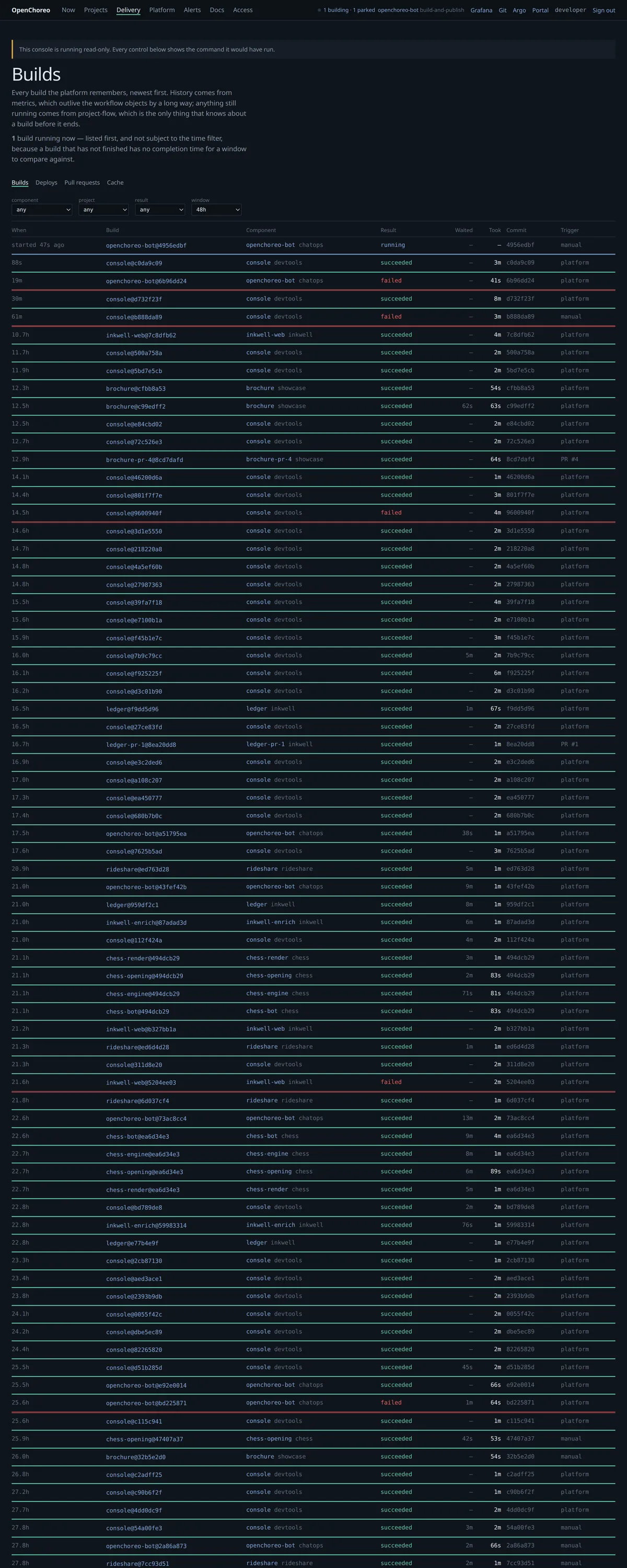
- 3
It publishes an image
The tag is
v1-<sha8>by convention and the digest is the bytes. Everything downstream joins on the digest: a rebuild of the same commit publishes the same tag over different content, so the tag is a label and the digest is the identity. - 4
OpenChoreo cuts a ComponentRelease
Named
<component>-<content-hash>, immutable, and not per environment. This is the object a promotion moves. - 5
A ReleaseBinding points an environment at it
One binding per component per environment. Promotion is that binding's
releaseNamechanging — nothing is rebuilt, nothing is re-rendered from source, and the release that runs in production is byte-identical to the one that ran in staging.
Why a build page can list more than one release
This is the single most confusing thing on the build page, so it is worth stating plainly: one build cuts one release per component. If you see more than one, it is one of exactly two things, and the page now separates them.
One repository, one image, several components. apps/zulip-bots is the clearest
case: openchoreo-bot owns the build and four more bots are its
siblingWorkloads with autoBuild: false. One push, one image, five
ComponentReleases — one per component, all from this build.
The page says so above the cards when it applies.
A ComponentRelease freezes the whole ClusterComponentType and
ClusterTrait bodies it resolved against, not a reference to them. So editing a
construct re-cuts every consumer, with no change to the image at all.
Those releases carry the same digest as this build's, days or seconds later, and they are not this build's doing. They are grouped under "later releases from these same bytes", and each card names the construct that moved.
bakery-web has eleven releases on one digest, four of them within twenty-two
seconds — a construct's version going 1 → 1.1 → 1.1.1, each re-cutting
every consumer.
Every release card carries the commit it was built from and when it was cut. The commit comes off the image tag, which is the only place it survives onto a deployed object — a ComponentRelease has no build reference, no commit annotation and, in fact, no labels at all.
Following one
The page holds the commit and its diff, the stage waterfall, the test report, the CPU profile of the build itself, and the releases it produced.
Pick a recent build →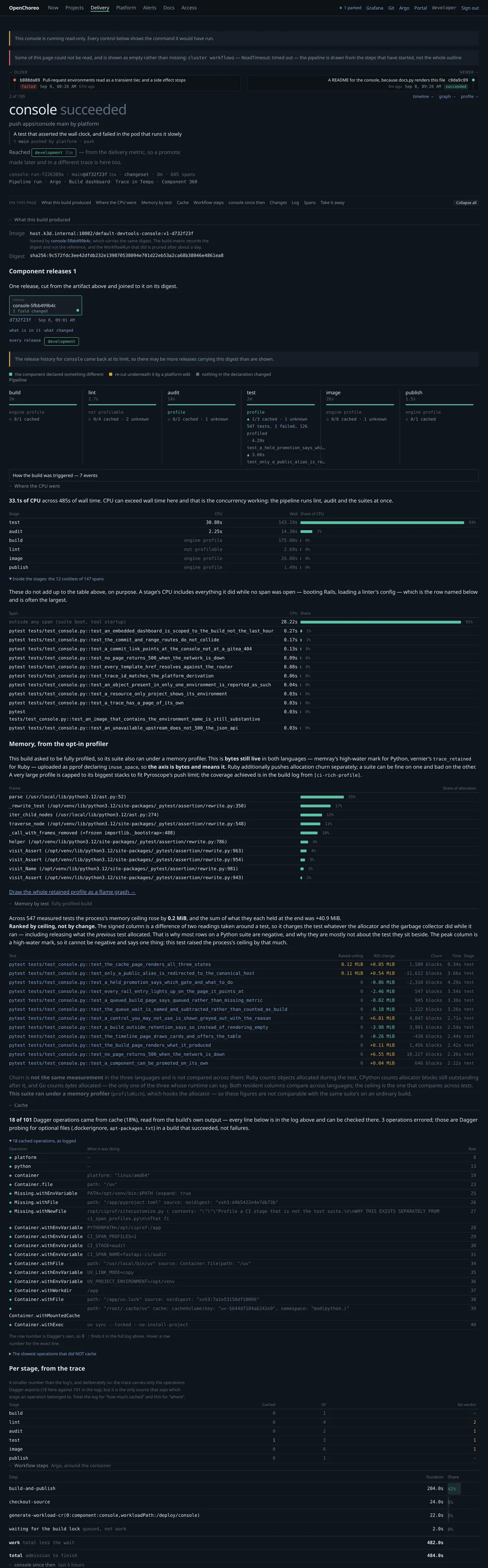
A build whose repository holds several components shows one primary release per component, and any later re-cuts grouped beneath them:

From there, two directions:
- Forward — a release card's environment pills say where it is serving. No pill means "serving nowhere", which is the normal state for all but the last couple of a component's releases.
- Backward —
/pipelines/{run}is the same push seen as a chain: what it built, what that became, and where it went.
Where it is now, and what happened
A project's Delivery tab holds both halves, and they answer different questions.
"Where it is now" is the current state, in promotion order. "What happened" is the commit rail underneath it.
inkwell's delivery →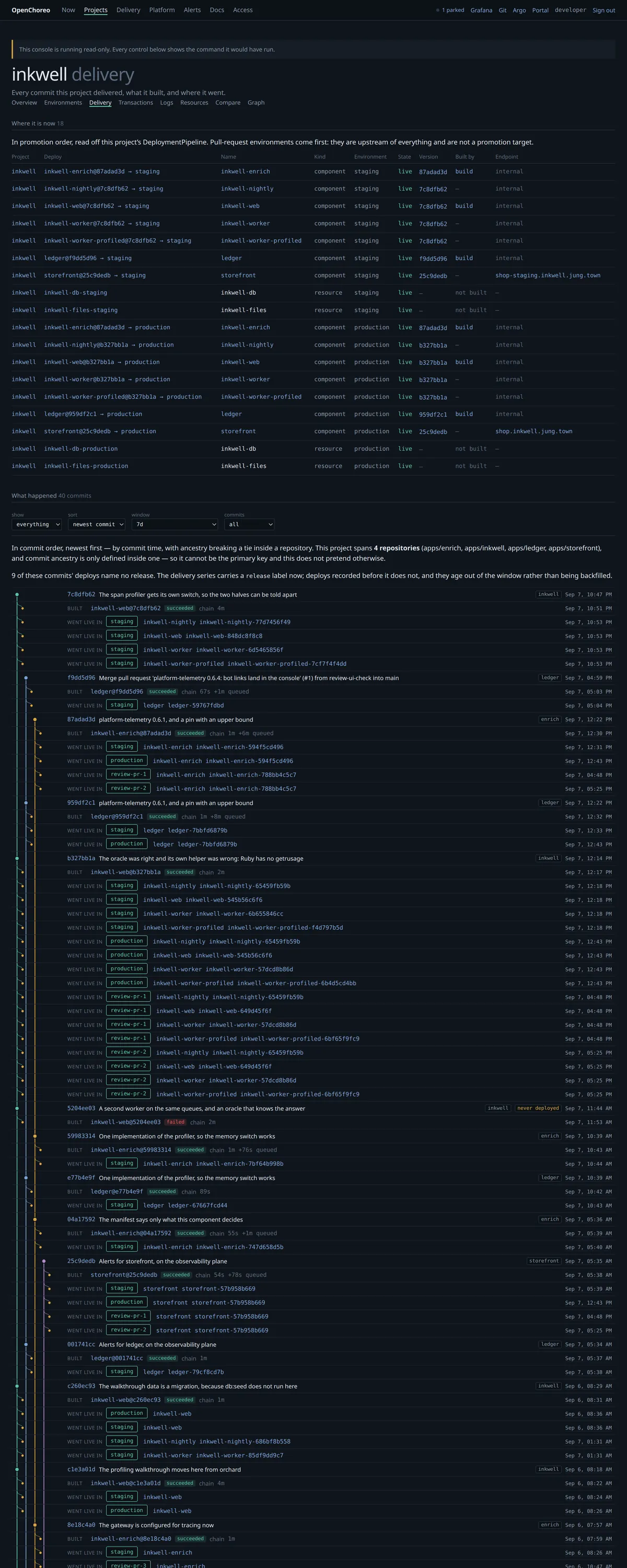
The table reads down the pipeline — a pull request's environment, then staging, then production — because that is the order things move in. Sorting it alphabetically puts production first and describes the flow backwards.
The rail below has three controls, and they are three different questions:
| control | what it changes |
|---|---|
| show | everything, or only commits that built, or only ones that deployed |
| sort | newest commit, oldest commit, or last deployed |
| window | how far back to ask |
| commits | how many rows to draw |
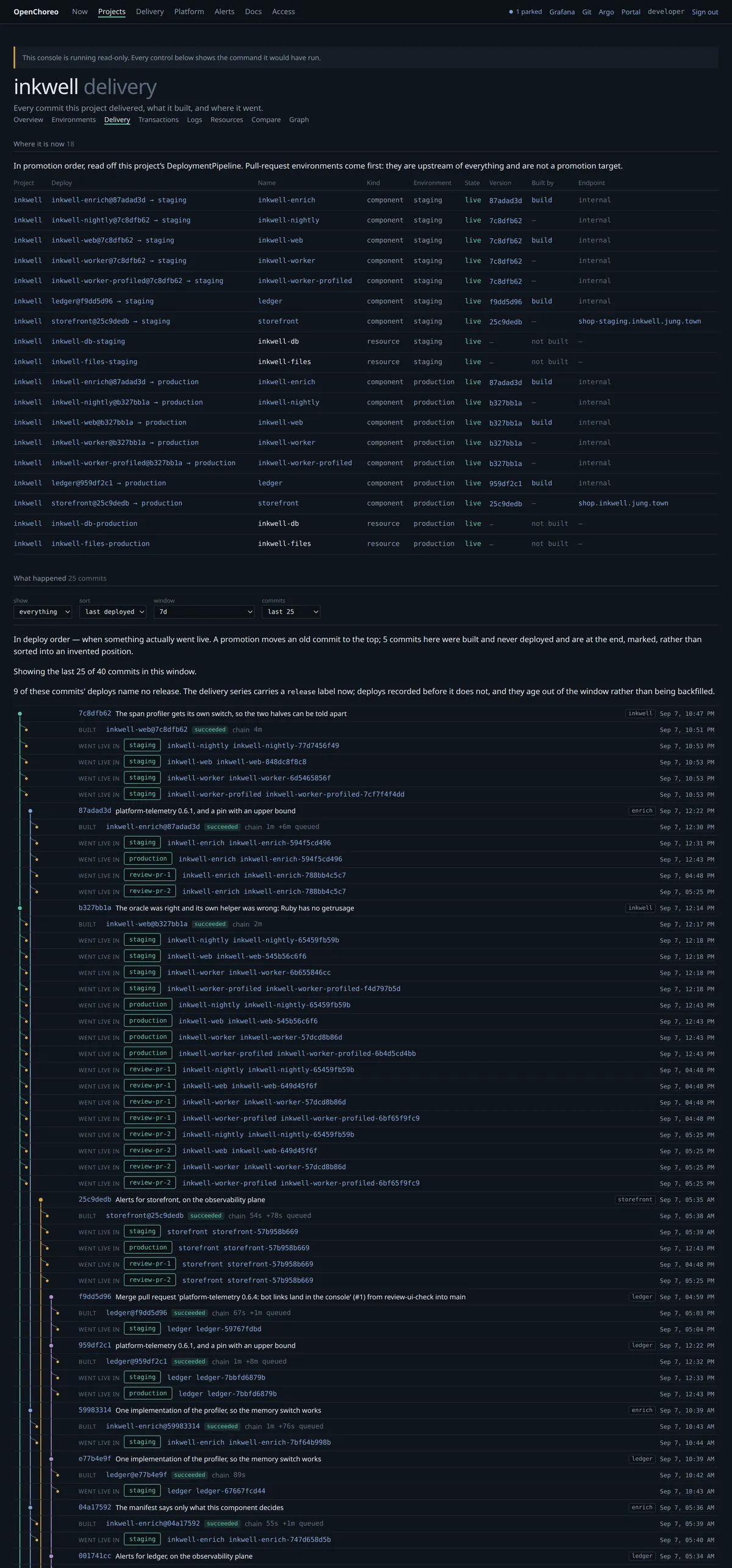
The metrics store keeps seven days. Ask for thirty and the page will say so rather than quietly returning seven and letting you conclude the project was quiet. That distinction — could not be asked, versus nothing to say — is the one this console works hardest to keep.