Finding your way around
The three views of the estate, and which question each one answers.
Everything in this console hangs off one idea: a project owns components and
resources, each of those is deployed into environments, and every deployment is a
ReleaseBinding that produced real Kubernetes objects. Once you can name that chain
you can get from any page to any other.
There are three views of the same estate. They are not alternatives — each answers a different question.
"What does this project look like?" Environments run left to right in the order the DeploymentPipeline promotes through, and each column holds that environment's components and its resources — a database is part of what an environment is.
Every project as a band. Click any cell to reach the Kubernetes objects behind it.
Open the project view →"What is actually running in staging?" The same data transposed: the environment is fixed and the columns are projects.
There are deliberately no arrows here. Promotion runs between environments, and this view has fixed one — an arrow between two project columns would be inventing a relationship the pipeline does not describe.
One section per environment, with every project that runs in it.
Open the environment view →"Show me the table." Names, descriptions, environment counts, failing counts. Useful when you already know what you are looking for.
All three share a sub-navigation row, because they are three views of one thing rather than three sections. The main rail stays at ten entries; a fourth "projects" entry up there would read as an unrelated area.
What is actually live, everywhere
The three views above are shaped by project or environment. When the question is flatter than that — which version of this is running, and where — the deploy table answers it for the whole estate at once, components and backing services together.
Every component and resource, every environment, with the version live in each.
Open the deploy table →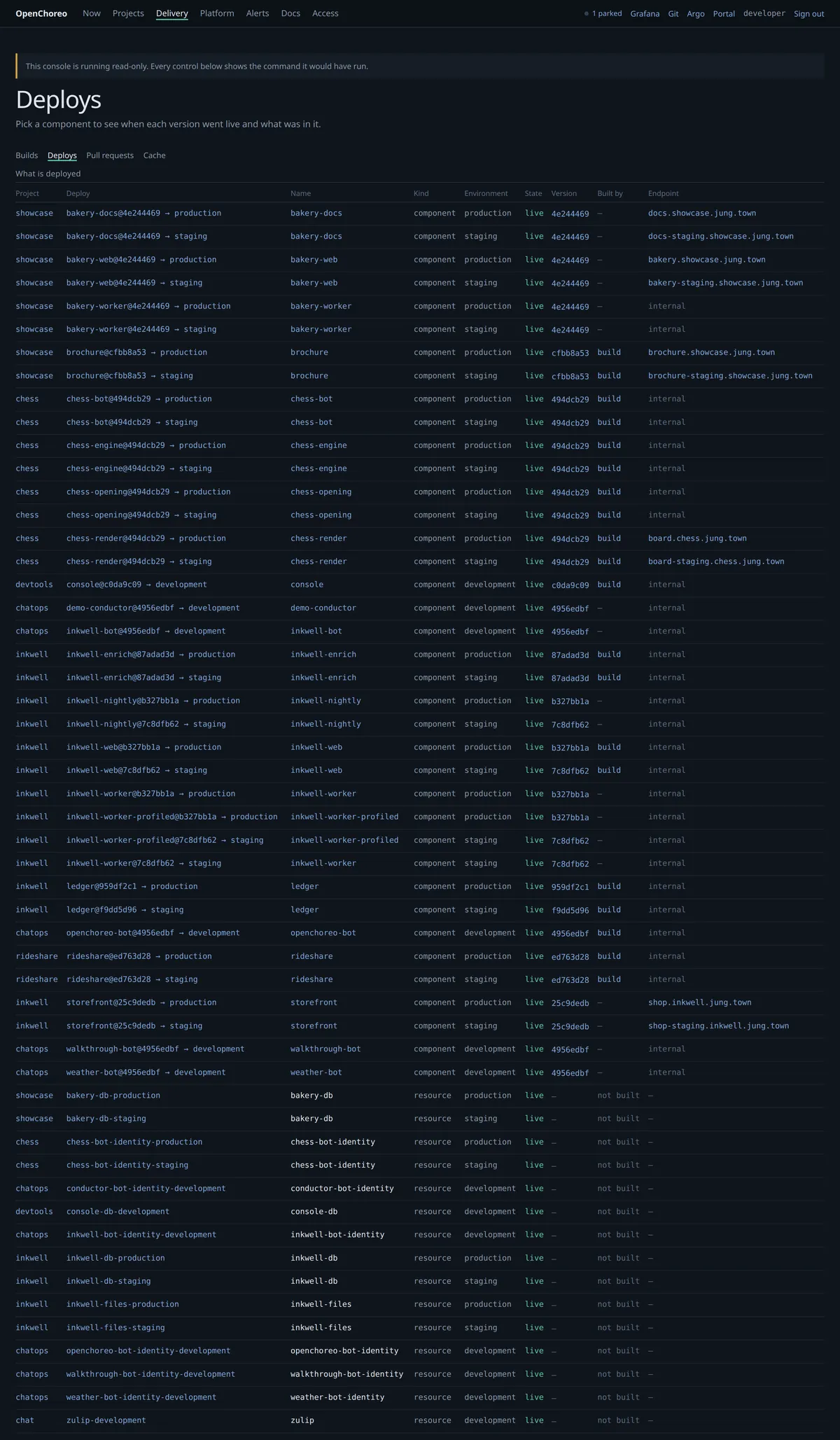
Signed in changes what you see
This is worth knowing before you conclude something is broken.
Builds, logs, traces, cache figures and profiles come from the metrics and log stores, and they are complete whether or not you are signed in. Anything read from the platform API is not: releases, release bindings, the project catalogue and the promotion order all use your token, and look empty without it.
Pages say which of the two they are looking at. If a panel is empty it will tell you whether nothing exists or whether it could not read — those are different sentences on purpose, and getting them confused is the single most common way this console has misled someone.